Customizing the Colours of the Actions
The colours of the actions in the editor can be customized by clicking the Configure button.
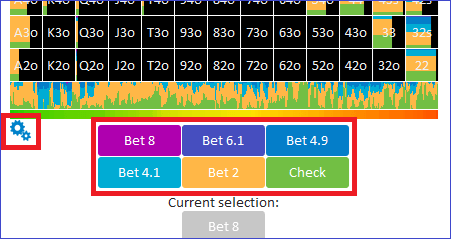
The “Classic” editor
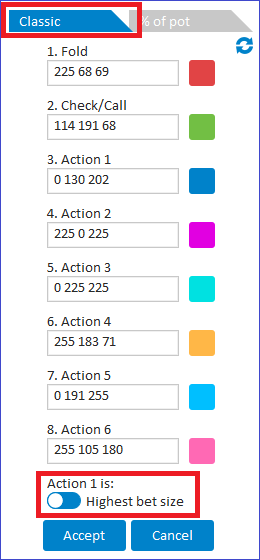
Use the tab at the top to select Classic mode.
In Classic mode, each bet is assigned a unique colour.
The smallest bet is dark blue, the second-smallest is purple, and so on.
If the toggle Action 1 is highest bet size is enabled, then the highest bet will be blue, the second-highest purple, etc.
The colours are expressed in RGB format.
There are many online resources for RGB values.
Searching for “RGB colours” will surface several colour pickers you can use.
The “% of pot” editor
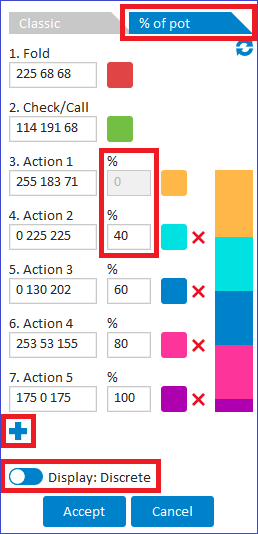
When the second tab is selected, the colour of each bet corresponds to its size as a percentage of the pot.
In the example below, the range 0%–40% is assigned orange, 40%–60% light blue, and so on.
To add an additional action, left-click the + icon.
If the Display: Discrete/gradient toggle is used, the action colour can also be assigned as a gradient.
